From Teltonika Telemedic Wiki
Start using TeltoHeart
How to pair TeltoHeart with the mobile application

|
Tap PAIR YOUR DEVICE to begin the pairing process.
|

|
Accept Bluetooth permissions when prompted.
|
🔵
"TeltoHeart" Would Like to Use Bluetooth
This will allow "TeltoHeart" to find and connect to your wearable. This app may also use Bluetooth to know when the wearable is nearby.

|
The app will scan for nearby devices.
|

|
Select your TeltoHeart by tapping its name.
|

|
TeltoHeart will display an incoming pair request.
Enter the code on your phone to pair with the
device
900065

|
Enter the passkey shown on your TeltoHeart into the pairing request window in the app.
|
🔗
Pairing request
"THW1-ADCE4317" would like to pair with your iPhone. Enter the code shown on "THW1-ADCE4317". Do not do anything on "THW1-ADCE4317" until pairing is complete.
Code

|
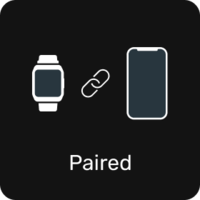
TeltoHeart will confirm a successful pairing.
|

|
Keep the TeltoHeart application running in the background at all times to ensure uninterrupted data transfer.
|

Note: Closing the app will stop data transfer to the TeltoCare platform.
|