
How to Pair TeltoHeart with TeltoHeart mobile application: Difference between revisions
m Protected "How to Pair TeltoHeart with TeltoHeart mobile application" ([Edit=Allow only administrators] (indefinite) [Move=Allow only administrators] (indefinite)) |
|||
| (One intermediate revision by the same user not shown) | |||
| Line 1: | Line 1: | ||
==Start using TeltoHeart== | ==Start using TeltoHeart== | ||
<!-- ─── PAIRING ─── --> | |||
<p style="font-size:22px; font-weight:700; color:#0054A6; margin:0 0 24px; text-align:center;">How to pair TeltoHeart with the mobile application</p> | |||
{| style="width:100%; border-collapse:collapse;" | |||
|- | |- | ||
|style=" | | style="width:52px; vertical-align:top; padding:0 0 16px;" | [[Image:Nr1.png|40px|frameless|link=]] | ||
| style="padding:0 0 16px 16px; font-size:15px; vertical-align:top;" | Tap '''PAIR YOUR DEVICE''' to begin the pairing process. | |||
|} | |||
<div style="text-align:center; margin:8px 0 20px;">[[File:Screen277.png|frameless|link=|480px]]</div> | |||
{| style="width:100%; border-collapse:collapse;" | |||
|- | |- | ||
| | | style="width:52px; vertical-align:top; padding:0 0 16px;" | [[Image:Nr2.png|40px|frameless|link=]] | ||
| style="padding:0 0 16px 16px; font-size:15px; vertical-align:top;" | Accept Bluetooth permissions when prompted. | |||
|} | |||
<div style="display:flex; justify-content:center; margin:8px 0 20px;"> | |||
<div style="background:#ffffff; border:1px solid #dce8f8; border-radius:16px; overflow:hidden; width:400px; font-family:-apple-system,BlinkMacSystemFont,'Segoe UI',sans-serif;"> | |||
<div style="background:#0054A6; padding:14px 20px; text-align:center;"> | |||
<span style="font-size:12px; font-weight:700; color:#ffffff; text-transform:uppercase; letter-spacing:1px;">iOS Permission Prompt</span> | |||
</div> | |||
<div style="padding:24px 28px; text-align:center; border-bottom:1px solid #dce8f8;"> | |||
<div style="width:48px; height:48px; background:#e8f0fb; border-radius:12px; margin:0 auto 16px; display:flex; align-items:center; justify-content:center; font-size:26px; line-height:1;">🔵</div> | |||
<div style="font-size:15px; font-weight:700; color:#1a2f4a; margin-bottom:10px;">"TeltoHeart" Would Like to Use Bluetooth</div> | |||
<div style="font-size:13px; color:#6b7a99; line-height:1.7;">This will allow "TeltoHeart" to find and connect to your wearable. This app may also use Bluetooth to know when the wearable is nearby.</div> | |||
</div> | |||
{| style="width:100%; border-collapse:collapse;" | |||
|- | |- | ||
|style="text-align: center;" | | style="width:50%; padding:14px; text-align:center; border-right:1px solid #dce8f8; font-size:14px; font-weight:700; color:#6b7a99;" | Don't Allow | ||
| style="width:50%; padding:14px; text-align:center; font-size:14px; font-weight:700; color:#0054A6;" | Allow | |||
|} | |||
</div> | |||
</div> | |||
{| style="width:100%; border-collapse:collapse;" | |||
|- | |- | ||
| | | style="width:52px; vertical-align:top; padding:0 0 16px;" | [[Image:Nr3.png|40px|frameless|link=]] | ||
| style="padding:0 0 16px 16px; font-size:15px; vertical-align:top;" | The app will scan for nearby devices. | |||
|} | |||
<div style="text-align:center; margin:8px 0 20px;">[[File:Screen285.png|frameless|link=|480px]]</div> | |||
{| style="width:100%; border-collapse:collapse;" | |||
|- | |- | ||
|style=" | | style="width:52px; vertical-align:top; padding:0 0 16px;" | [[Image:Nr4.png|40px|frameless|link=]] | ||
| style="padding:0 0 16px 16px; font-size:15px; vertical-align:top;" | Select your TeltoHeart by tapping its name. | |||
|} | |||
<div style="text-align:center; margin:8px 0 20px;">[[File:Screen292.png|frameless|link=|560px]]</div> | |||
{| style="width:100%; border-collapse:collapse;" | |||
|- | |- | ||
| | | style="width:52px; vertical-align:top; padding:0 0 16px;" | [[Image:Nr5 - Copy.png|40px|frameless|link=]] | ||
| style="padding:0 0 16px 16px; font-size:15px; vertical-align:top;" | TeltoHeart will display an incoming pair request. | |||
<div style="display:flex; justify-content:center; margin:16px 0;"> | |||
<div style="background:#1c1c1c; border-radius:20px; padding:24px 16px; width:200px; font-family:-apple-system,BlinkMacSystemFont,'Segoe UI',sans-serif; text-align:center;"> | |||
<div style="font-size:14px; color:#ffffff; line-height:1.6; margin-bottom:16px;">Enter the code on your phone to pair with the<br>device</div> | |||
<div style="font-size:15px; font-weight:700; color:#00c8e0; line-height:1.5; margin-bottom:20px;">900065</div> | |||
</div> | |||
</div> | |||
</div> | |||
{| style="width:100%; border-collapse:collapse;" | |||
|- | |- | ||
|style=" | | style="width:52px; vertical-align:top; padding:0 0 16px;" | [[Image:Nr6.png|40px|frameless|link=]] | ||
| style="padding:0 0 16px 16px; font-size:15px; vertical-align:top;" | Enter the passkey shown on your TeltoHeart into the pairing request window in the app. | |||
|} | |||
<div style="display:flex; justify-content:center; margin:8px 0 20px;"> | |||
<div style="background:#ffffff; border:1px solid #dce8f8; border-radius:16px; overflow:hidden; width:400px; font-family:-apple-system,BlinkMacSystemFont,'Segoe UI',sans-serif;"> | |||
<div style="background:#0054A6; padding:14px 20px; text-align:center;"> | |||
<span style="font-size:12px; font-weight:700; color:#ffffff; text-transform:uppercase; letter-spacing:1px;">Pairing Request</span> | |||
</div> | |||
<div style="padding:24px 28px; text-align:center; border-bottom:1px solid #dce8f8;"> | |||
<div style="width:48px; height:48px; background:#e8f0fb; border-radius:12px; margin:0 auto 16px; display:flex; align-items:center; justify-content:center; font-size:26px; line-height:1;">🔗</div> | |||
<div style="font-size:15px; font-weight:700; color:#1a2f4a; margin-bottom:10px;">Pairing request</div> | |||
<div style="font-size:13px; color:#6b7a99; line-height:1.7; margin-bottom:16px;">"THW1-ADCE4317" would like to pair with your iPhone. Enter the code shown on "THW1-ADCE4317". Do not do anything on "THW1-ADCE4317" until pairing is complete.</div> | |||
<div style="background:#f8fbff; border:1px solid #dce8f8; border-radius:8px; padding:10px 16px; font-size:13px; color:#9aabb8; text-align:left;">Code</div> | |||
</div> | |||
{| style="width:100%; border-collapse:collapse;" | |||
|- | |- | ||
| | | style="width:50%; padding:14px; text-align:center; border-right:1px solid #dce8f8; font-size:14px; font-weight:700; color:#6b7a99;" | Cancel | ||
| style="width:50%; padding:14px; text-align:center; font-size:14px; font-weight:700; color:#0054A6;" | Pair | |||
|} | |||
</div> | |||
</div> | |||
{| style="width:100%; border-collapse:collapse;" | |||
|- | |- | ||
|style=" | | style="width:52px; vertical-align:top; padding:0 0 16px;" | [[Image:Nr7.png|40px|frameless|link=]] | ||
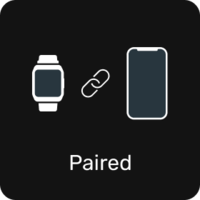
| style="padding:0 0 16px 16px; font-size:15px; vertical-align:top;" | TeltoHeart will confirm a successful pairing. | |||
|style=" | |} | ||
| | |||
<div style="text-align:center; margin:8px 0 20px;">[[Image:TeltoHeart-paired.png|200px|frameless|link=]]</div> | |||
|style=" | {| style="width:100%; border-collapse:collapse;" | ||
|- | |- | ||
|style=" | | style="width:52px; vertical-align:top; padding:0 0 16px;" | [[Image:Nr8.png|40px|frameless|link=]] | ||
| style="padding:0 0 16px 16px; font-size:15px; vertical-align:top;" | Keep the TeltoHeart application '''running in the background at all times''' to ensure uninterrupted data transfer. | |||
| | |||
| | |||
|} | |} | ||
| | |||
<div style="background:#EEF6FF; border-left:4px solid #0054A6; border-radius:0 8px 8px 0; padding:14px 18px; margin-top:16px; display:flex; align-items:flex-start; gap:12px;"> | |||
[[File:Note_icon.png|24px|frameless|link=]] | |||
<div>'''Note:''' Closing the app will stop data transfer to the TeltoCare platform.</div> | |||
</div> | |||
|} | |} | ||
Latest revision as of 12:34, 15 June 2026
Start using TeltoHeart
How to pair TeltoHeart with the mobile application

|
Tap PAIR YOUR DEVICE to begin the pairing process. |


|
Accept Bluetooth permissions when prompted. |

|
The app will scan for nearby devices. |


|
Select your TeltoHeart by tapping its name. |


|
TeltoHeart will display an incoming pair request.
Enter the code on your phone to pair with the
device 900065
Note: Closing the app will stop data transfer to the TeltoCare platform.
|


